 The Crosswalk
How to Back Up Your Files
Why Big Tech backups cost more than they're worth, and how to take back control of your files.
The Convenience Trap: Crossing the Street to Real Ownership
Welcome to The Crosswalk.
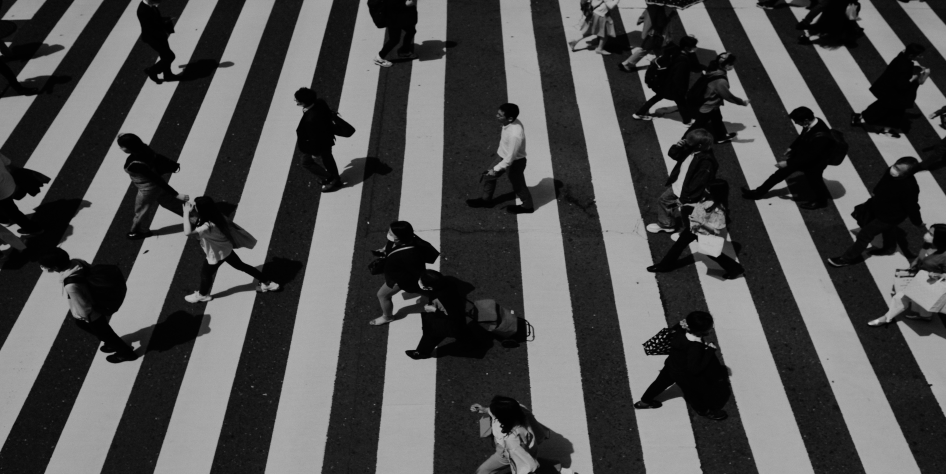
My goal with this blog is to help you decrease reliance on big tech and maybe interest you in topics of digital privacy. But I want to do it in a way that makes sense for the average person. I'd like to safely guide you through the crosswalk in a busy information superhighway.
The "default" platforms are hailed as "convenient," but I'm not sold on that. I think there's a way to keep more money in your pocket, more freedom, a little more privacy, and control. I think this can be done without a lot of friction.
I have talked with other moms who post on Facebook all the time, because they want to save their photos somewhere. Those photos are dependent on that platform and company staying in business and taking care of your photos. What else might they do with your photos? Ever-changing terms and conditions apply. If your account is almost old enough to drink, you probably didn't imagine your uploaded photos would be used to train someone's lucrative AI model.
File Backups
Today I want to talk about file backups, and how to exercise some control over your files.
The Illusion of "Easy"
There's a general idea that Big Tech offers the most "convenient" way to store our lives. But I argue that this convenience is a mirage. We are constantly fighting their glitches, policy changes, and catastrophic failures.
Microsoft has lost data in OneDrive. I saw articles about it, and before that, it happened to me twice. Google Drive was excellent, but Chrome has vanished all of my passwords, only to magically reappear days later with no explanation of whether they were leaked or just glitched. I appreciated that they fixed it, but it didn't feel safe. It felt like my data was at the mercy of a black box.
Now, as companies rush to use AI to "vibe code" and automate reviews, we're seeing more service outages, wiped databases, and unpredictable errors. Companies admit these AI errors happen, yet we are expected to treat them as "normal."
Most people accept this as the cost of doing business. But there is another way. By shifting to open-source Software whose code is publicly available and modifiable. Transparency, collaboration, and often free as in free lunch are important parts of the open source model. tools and privacy-first hardware, we can regain some control. We might trade passive convenience (it just happens) for active reliability (it works because I own it), but the result is true peace of mind.
The 3-2-1 Rule: Your Map Across the Street
Before we cross the street, let's look at the map. The standard advice for backup is the 3-2-1 Rule. You don't have to follow this to the letter today, but aiming for it is the best way to ensure you don't get stranded.
3 Copies: Keep three total copies of your data (the original plus two backups).
2 Media Types: Store them on two different types of media (e.g., your computer's hard drive and an external USB drive).
1 Off-Site Copy: Keep one copy in a different physical location (like the cloud or a safe at a friend's house) to protect against fire, theft, or natural disasters. The goal is resilience. This doesn't have to be perfect to be useful. If you can make one small change today that moves you closer to this, that's a win.
Solution 1: The Air-Gapped physically separate from other networks External Drive
The simplest way to start crossing the street is with an external hard drive or flash drive. Even a thumb drive is a backup. Just be careful not to misplace it since they're often so small. With fast food prices rising, especially at a certain arch-shaped chain, you can get an external flash drive for the cost of a family meal.
Why it works
An external drive is " air-gapped physically separate from other networks " when unplugged. That means it's physically disconnected from the internet, making it immune to remote hacking, ransomware, or server-side deletions. It's a physical object you hold in your hand, and it sits isolated somewhere safe.
The Cost Argument: Rent vs. Ownership
Many people hesitate because they think hardware is expensive. It's true that drive costs have fluctuated, partly due to high demand from AI companies buying up storage capacity and components. But let's look at the long-term math:
The Big Tech "Rent": Google One charges ~$20 USD/year for 100 GB or $100/year for 2TB. Microsoft OneDrive is similar. Over 5 years, you pay $100–500 just to rent space. If they raise prices, malfunction with your login, or suspend your account, you lose access, and might not get it back.
The Hardware "Ownership": A 256GB thumb drive costs roughly $40–50 one-time. Even if you replace it every 5 years, you spend $200 total. More storage space costs more money, but I do it for peace of mind.
That is a massive saving over time. More importantly, you own the data. If the company goes bankrupt or changes its terms, your drive still works. You aren't paying a monthly fee to keep your memories safe; you made a one-time investment in your own security.
A Note on Longevity
Hard drives do have a shelf life. While I've had drives last a decade, relying on a single drive for 20 years is too risky. Files will get corrupted. The key is migration. Buy a drive now, even a small one, store your most important files and favorite memories, and plan to move them to a new drive every five or so years. Brands like Toshiba have been reliable for me, but the brand matters less than the habit of checking your backups regularly.
Solution 2: Cloud Storage Options (Without the Spyware)
For the "off-site" copy, many people default to Google Photos or iCloud. But if you're worried about companies training AI models on your children's photos or scanning your private documents, there are better options.
The Open-Source Software whose code is publicly available and modifiable. Transparency, collaboration, and often free as in free lunch are important parts of the open source model. Alternative
You don't have to choose between safety and privacy.
Privacy-First Cloud: Services like Proton Drive or Sync.com offer end-to-end encryption encryption where only the sender and receiver can read the message . They cannot read your files, meaning they can't train AI on them or sell your data.
Self-Hosting: For the truly independent, setting up a Nextcloud instance on your own hardware gives you a "private cloud" that behaves exactly like Google Drive but lives in your home.
The "Free" Trap
If the product is free from a company out to make money, you are the product. The "convenience" of a free Google account comes at the cost of your privacy and the risk of arbitrary account suspensions with no recourse. Paying for a privacy-focused service is often cheaper than the long-term cost of dealing with Big Tech's data breaches.
One caveat, if your service is encrypted and you lose your password, you may lose your files.
I'm not talking about changing your password. That's normal and fine, but if you do "forgot my password," a service like Proton can't show you the files or e-mails before that reset.
Solution 3: Encrypt to scramble data into a secret code Before You Upload
What if you can't afford a new service, or you must use a free Big Tech cloud? You can still protect your data by encrypting it before it leaves your device. This is an extra step, but can protect your data and your family a little more than a simple upload.
How to encrypt to scramble data into a secret code files
Instead of uploading raw files, compress them into a password-protected archive. In other words, a .zip file with a password on it.
Windows:
Right-click a folder > Send to > Compressed (zipped) folder
Then, add a password.
Linux An alternative to Windows or MacOS on computers. (Zorin/Ubuntu):
Right-click > Compress > Select "Encrypted ZIP" from the drop down extension.
Or use a tool like 7-Zip with AES-256 encryption the process of turning readable data into a secret code .
Pro Tip: For stronger security, use open-source Software whose code is publicly available and modifiable. Transparency, collaboration, and often free as in free lunch are important parts of the open source model. tools like VeraCrypt or Cryptomator. These create encrypted vaults that look like random noise to anyone who intercepts them.
The Trade-off
Pros: Even if the cloud provider is compromised or scans your files, they only see gibberish. A weak password like "1234" may be better than no password at all against automated scanners.
Cons: You are the key. If you lose your password, the files are gone forever. I once lost access to a laptop due to a forgotten BitLocker recovery key, and I've had to reset passwords on encrypted email inboxes, meaning I lost emails prior to the password reset.
This is the price of true ownership. You are responsible for your own security. But isn't that better than handing the keys to a corporation that might lose them?
Conclusion: Arriving on the Other Side of the Street
The narrative that Big Tech is "more convenient" is a myth built on short-term ease and long-term fragility. By switching to external drives, open-source Software whose code is publicly available and modifiable. Transparency, collaboration, and often free as in free lunch are important parts of the open source model. encryption the process of turning readable data into a secret code tools, and privacy-respecting clouds, you're buying certainty and saving money at the same time.
Yes, you might have to plug in a drive once a month or weekly or whatever interval fits your comfort level. Yes, you have to manage your own passwords. But in exchange, you get something Big Tech can never guarantee, which is ownership. You won't wake up to find your files deleted by an AI glitch or your account suspended for unknown reasons.
I rely heavily on my external drives today, but I'm not stopping there.
Welcome to The Crosswalk. We've crossed the street together today.
How do you feel about backing up your files? What do you do? I know there are a lot of different services out there that offer photo backups.

About Katie B
I'm a mom and a programmer in the mid-Atlantic region of the USA. I like reading, games, hiking.
📬 Join the Newsletter
Get thoughtful writing and practical tips delivered to your inbox. No spam, just meaningful content. Make sure to check your e-mail (and maybe your spam/junk folder) for an e-mail to confirm your subscription!
Frequently asked questions
Can I back up without the cloud?
Yes. External hard drives and USB sticks work independently from the cloud and give you full ownership of your storage.
Do I need to follow the 3-2-1 rule exactly?
Not perfectly. Any step toward more backup redundancy helps—starting with one external drive is still a win.
What happens if I lose my encryption password?
If you encrypt backups and forget your password, the files may be unrecoverable. Store passwords securely or keep an unencrypted copy elsewhere.