 The Crosswalk
What Are GrapheneOS Profiles and Why I Use Them on My Phone
How to isolate mobile phone apps and protect your data with profile separation
I use a privacy phone. I love it because it doesn't have a lot of bloatware and spyware. It's obedient when I choose settings and turn mics or bluetooth off and on, for example, and I know it's going to make my phone last a lot longer than something with an off-the-shelf operating system The core software that manages a computer and lets applications run. This would be Windows or MacOS on computers, Android or iOS for phones, for example. on it.
YouTube: What GrapheneOS looks like
GrapheneOS overview and why I use a privacy phone.
What are profiles?
This post is to explain what profiles are on Graphene An alternative to Android or iOS on phones. , because I want to show you clearly what it means.
Each profile settings and data that belong to one user or session has its own storage, its own set of installed apps, and its own login sessions. They do not talk to each other. This means that, on GrapheneOS An alternative to Android or iOS on phones. , you're able to separate one set of apps from another. You can be one profile settings and data that belong to one user or session or another. You can think of it like actually having a separate phone, that's how walled off the profiles are from each other.
My profiles right now
Here's an example of the profiles I have:
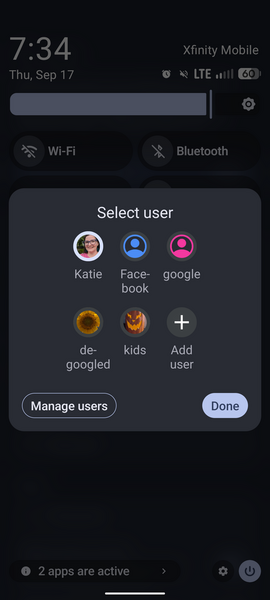
I have a Google profile settings and data that belong to one user or session , where I have all the Google apps plus LinkedIn. I have a little bit on here, but I only come on from time to time to "like and subscribe" with YouTube and delete my junk emails.
I have a Facebook profile settings and data that belong to one user or session , that has only Facebook and two of its message apps.
Main/Owner and de-Googled typically refers to a device that has no Google-owned services or apps on it profiles
In Graphene An alternative to Android or iOS on phones. , the main profile settings and data that belong to one user or session is called the "Owner" profile settings and data that belong to one user or session . My main profile settings and data that belong to one user or session and de-Googled typically refers to a device that has no Google-owned services or apps on it profile settings and data that belong to one user or session are essentially the same, but the de-Googled typically refers to a device that has no Google-owned services or apps on it one doesn't have Google Play Services.
About Google Play Services and GrapheneOS
Kids
The kids profile settings and data that belong to one user or session has no login pin, so they can just use it without issue, and contains the music app, Brave browser Lets you visit pages on the internet, examples are Safari, Edge, Firefox, or Brave. , some games, and drawing apps. It doesn't allow phone or text messaging. There aren't any sensitive files and they can't mess up or delete any of my notes.
Phone calls and testing in other profiles
You're able to extend your phone and text to each profile settings and data that belong to one user or session , or not. The phone only has one SIM, so those would all be shared. Contacts aren't extended, so they would need to be put in each profile settings and data that belong to one user or session . I have to allow phone/text for a couple of profiles, at least temporarily, to be able to receive a text to log log files in a computer are notes where programs record events, messages, warnings, and errors so you can see what happened and when in to one or two apps that still don't use an authenticator app an app that generates a password, token, or push notification so you can confirm it's really you signing in .
Benefits of profiles
This all matters in my daily life because some apps read other app data and activity. In addition, Google and Facebook don't need to know everything I do in my browser Lets you visit pages on the internet, examples are Safari, Edge, Firefox, or Brave. , the photos I take during the day, the music I listen to, or my location at every second of the day.
My Facebook profile settings and data that belong to one user or session doesn't access the other apps I use day-to-day. It is less likely to be able to snoop on contacts, because I don't have contacts stored on that profile settings and data that belong to one user or session , or if I did, they would be in a special "contact scope" that Facebook couldn't see. I'll cover scopes in a separate post.
I call out Facebook because there are articles calling them out on snooping on other apps on your phone, decrypting encrypted communications, and various tricks over the years to get as much of your off-Meta activity as possible. But with Facebook, since everything is "opt out" rather than "opt in," it makes it difficult to stay on top of what they share and collect.
I would stay away if I could, but I have to use it for a couple of reasons. Profiles makes it a little less harmful.
How do you transfer files between profiles?
There are many reasons you'd want to transfer files from one profile settings and data that belong to one user or session to another. I read a post from someone a few years ago, I wish I had the link, but they had a separate profile settings and data that belong to one user or session for taking photos. if I recall, they wanted to have a de-Googled typically refers to a device that has no Google-owned services or apps on it phone, but found that the Google Camera takes slightly better photos than the stock app you get with Graphene An alternative to Android or iOS on phones. . So this person had a separate profile settings and data that belong to one user or session for it since that was Google. That required transferring photos from one profile settings and data that belong to one user or session to another.
I forgot that I was using the Google Photos app when I was mentioning apps I use in other posts. It's because of this person's post that I checked it out. I don't have to use it, but it is a nice app....
Transfer with a USB thumb drive
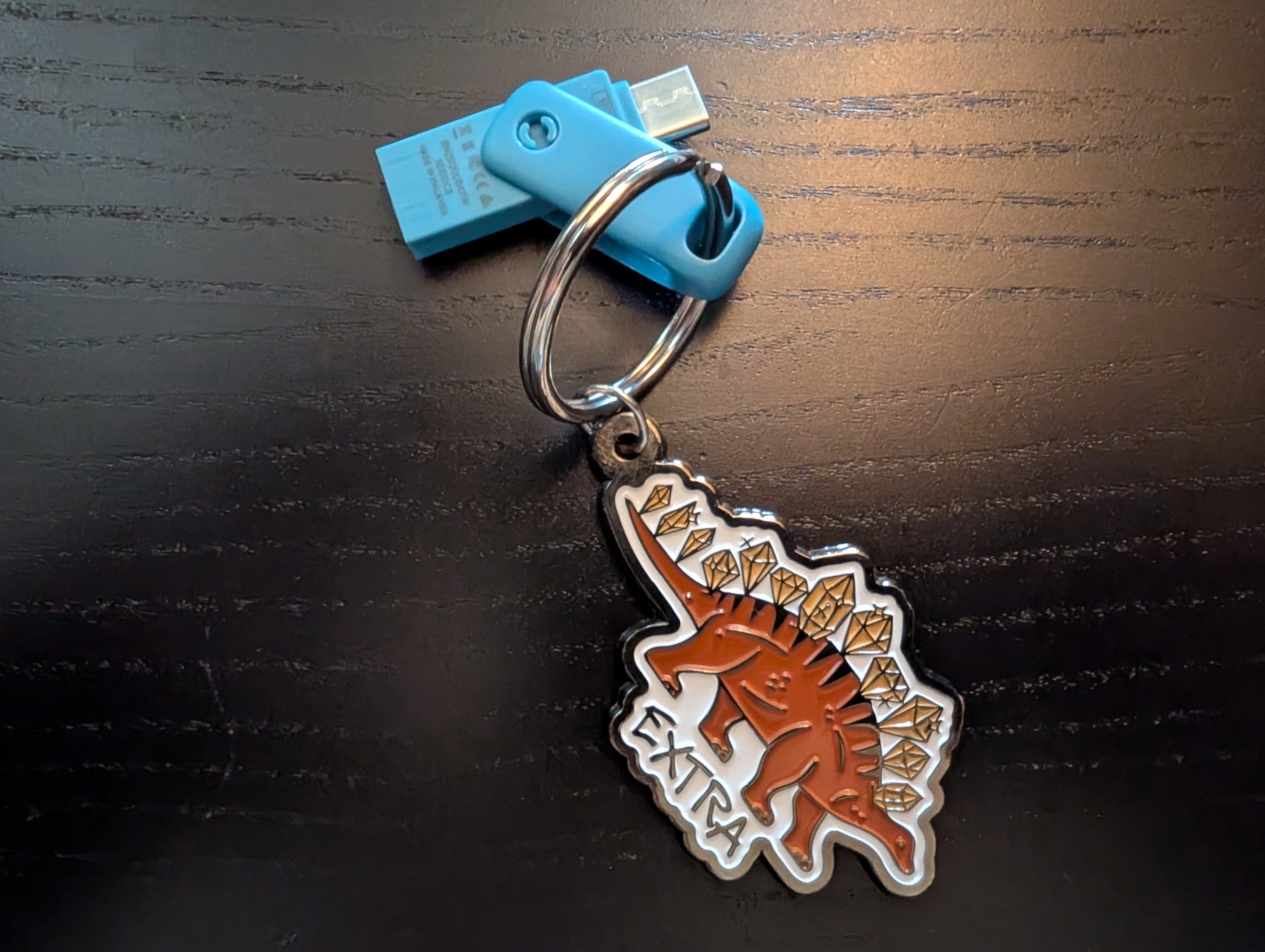
To transfer files, I have a USB stick with a USB-C end. The less expensive options tend to have the USB-A end, which is the large one that has to be put in a certain way. Mine actually has both and it can twirl to give you one end or the other. See the image above. You want the little tiny oval, that's USB-C. See my post below with the images of which USB connector ends are called what.
Quick reference for identifying USB connectors
Recent Pixels all take a USB-C as far as I know.
I can put files on there and then those files can go where I need them.
Conclusion
At the end of the day, this is about control over your device. I don't have to choose between using the apps I need and protecting my data. I get a little of both.
Related Posts
Why GrapheneOS's New RCS Plans Matter for Privacy
GrapheneOS is developing their own RCS implementation to reduce reliance on Google Messages. Learn what RCS is and why this breakthrough matters for privacy-focused phone users.
Tap-to-Pay Options for GrapheneOS
A practical guide exploring tap-to-pay solutions for GrapheneOS users who can't rely on Apple Pay or Google Wallet, including workarounds and international alternatives.
Why The Motorola + GrapheneOS Partnership Matters for Everyone
Motorola and GrapheneOS just announced a partnership bringing another option for secure, private smartphones to mainstream users. Here's what it means for moms, families, and anyone tired of big tech tracking.

About Katie B
I'm a mom and a programmer in the mid-Atlantic region of the USA. I like reading, games, hiking.
📬 Join the Newsletter
Get thoughtful writing and practical tips delivered to your inbox. No spam, just meaningful content. Make sure to check your e-mail (and maybe your spam/junk folder) for an e-mail to confirm your subscription!
Frequently asked questions
What are GrapheneOS profiles?
Profiles are isolated environments on GrapheneOS where each has its own storage, installed apps, and login sessions. They don't communicate with each other, like having separate phones on one device.
Can profiles share phone calls and contacts?
Phone and SMS can be extended to other profiles, but contacts aren't shared—they need to be added separately to each profile.
How do I transfer files between profiles?
Use a USB-C flash drive. Files copied to the drive can then be accessed from any profile by connecting the device.