 The Crosswalk
How to Automatically Save Version History in LibreOffice on Linux
Using GNOME Online Accounts to track changes without extra plugins
I provide one way to automatically save version history on the cloud while working in LibreOffice on Linux.
This isn't a privacy-friendly solution, since we're saving our work on a big tech platform, but it may be a necessary integration for some people.
One example might be if you're in school and need version history for your work.
LibreOffice and version history in Linux An alternative to Windows or MacOS on computers.
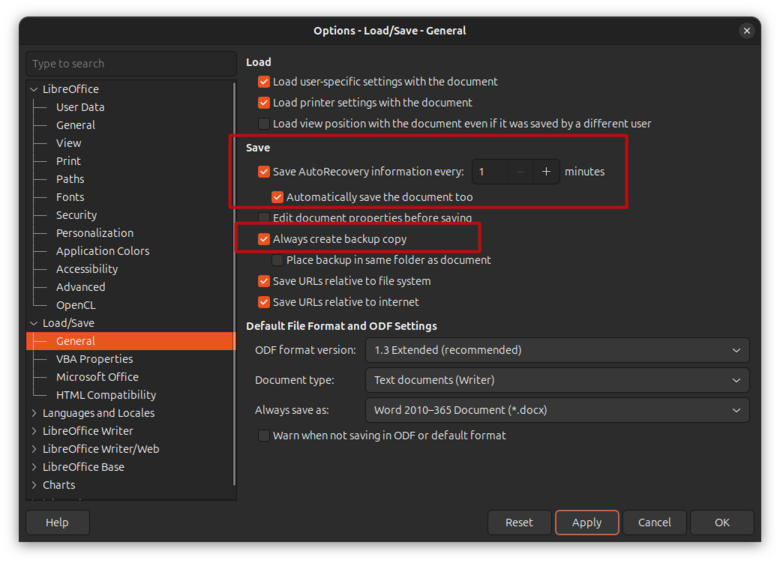
There seems to be some way to get LibreOffice Writer to create version history, but it's not automated and I couldn't figure out how to get it to work. You can turn on autosave, which I would recommend, but that just saves for you as you write.
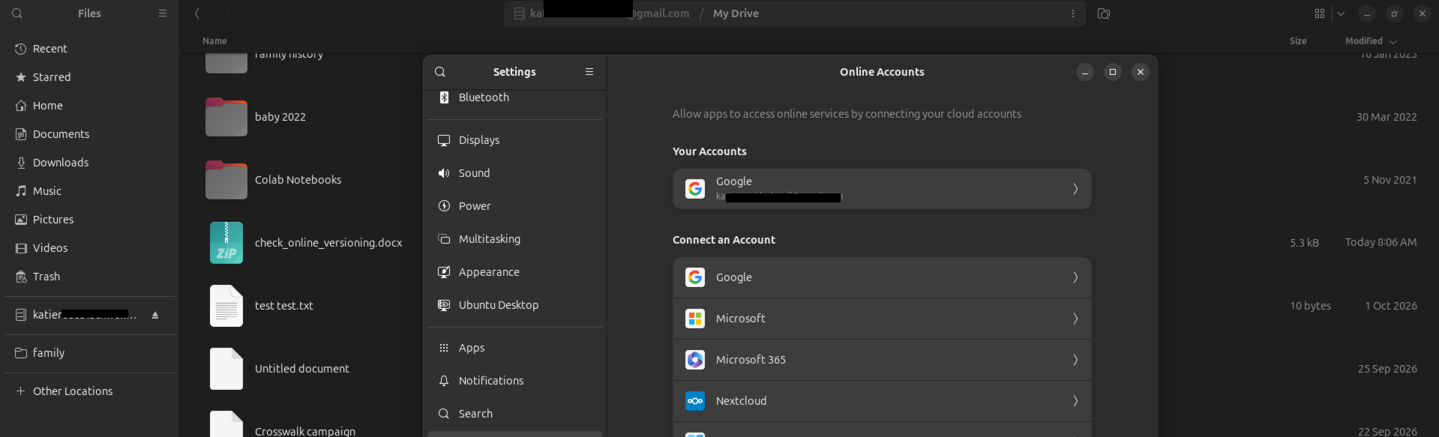
GNOME Online Accounts
In Linux An alternative to Windows or MacOS on computers. , you can sign in to Google through GNOME Online accounts. When I save a LibreOffice document in the local mount, it's saved in my Google Drive. In addition, I was able to verify for myself that Google also creates file versions as I'm working in LibreOffice Writer.
Saving files on the cloud in Linux - more info about GNOME Online Accounts and Google
One possibility is to use Google Drive to save versions of your paper. This makes it easier to collaborate with others without sending versions of a file around, and it is accessible from anywhere.
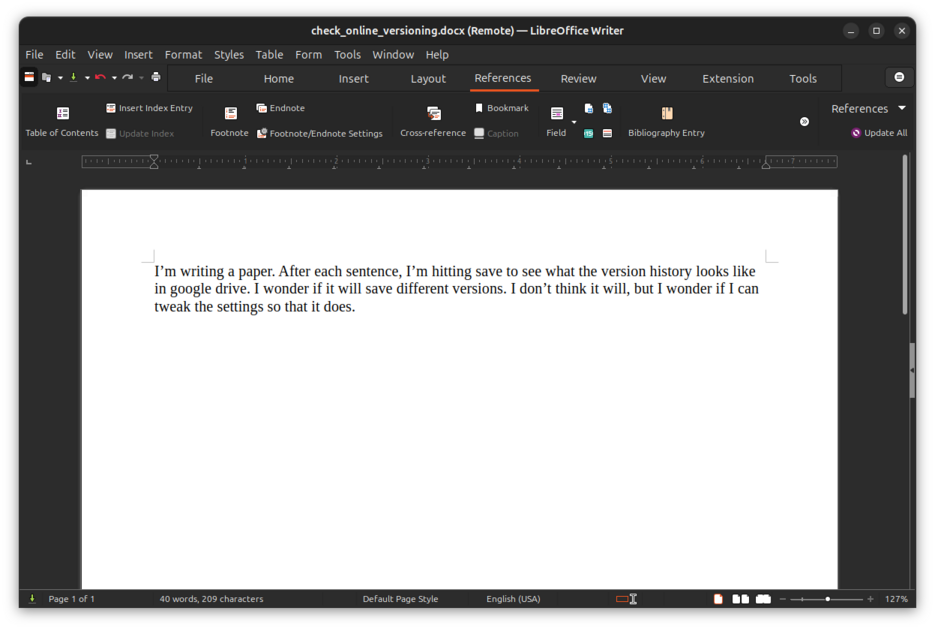
Here's an image of a test file. I created this in LibreOffice Writer and saved it directly to my Google Drive using my connection set up with GNOME Online Accounts
This file is not saved as a copy locally. If I signed out of Google, I wouldn't be able to see it on my computer.
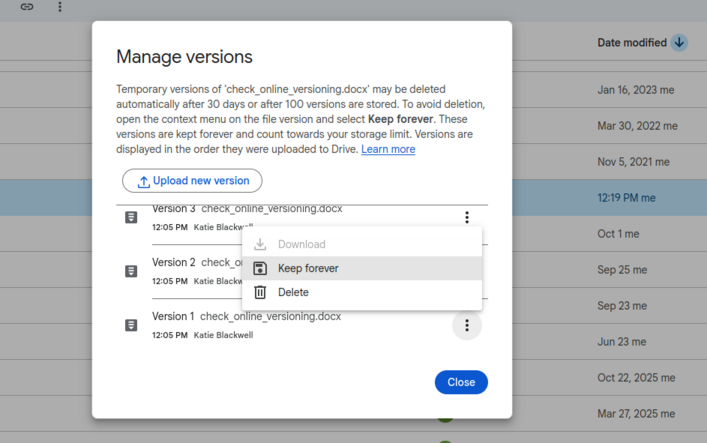
When I go to Google Drive in the browser Lets you visit pages on the internet, examples are Safari, Edge, Firefox, or Brave. , I see versions of this paper!
If I click on a certain version, I can pull it up there.
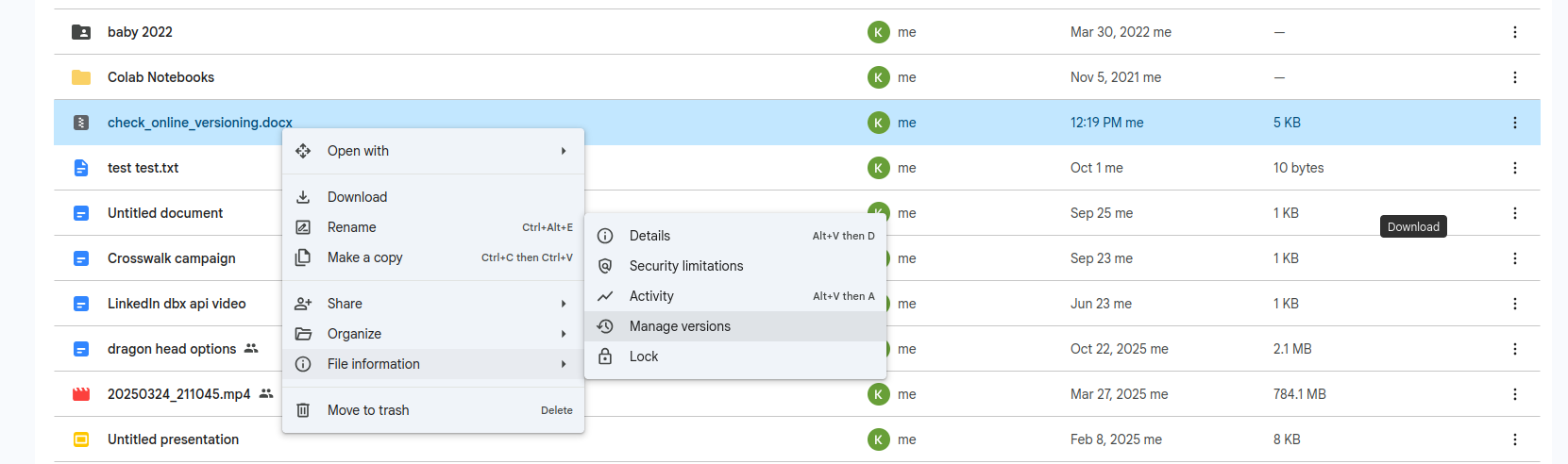
I can see the earlier version by clicking "manage versions" > "keep forever" > "download"
The downloaded version shows what it looked like at that timestamp a date and time stamped on a log entry or file, so you know exactly when something happened .
Related Posts
How to Install and Set Up LibreOffice (Free Office Suite)
Learn how to install LibreOffice on Linux, Windows, and Mac. Perfect for non-technical users who want free, privacy-respecting office software that works for everyday tasks.
Alternative to Office: Microsoft Excel Formulas Using LibreOffice Calc
Test 20+ common Excel formulas in LibreOffice Calc and see identical results. Learn which formulas work perfectly, what doesn't translate, and how switching saves you $100+ per year without losing compatibility and without having to overcome a large learning curve.
LibreOffice Is the Free, Private Office Suite You Should Be Using Instead of Microsoft 365
LibreOffice is a free and open source office suite that replaces Word, Excel, and PowerPoint without subscriptions or data harvesting. Learn how to get started and customize it.

About Katie B
I'm a mom and a programmer in the mid-Atlantic region of the USA. I like reading, games, hiking.
📬 Join the Newsletter
Get thoughtful writing and practical tips delivered to your inbox. No spam, just meaningful content. Make sure to check your e-mail (and maybe your spam/junk folder) for an e-mail to confirm your subscription!
Frequently asked questions
Does LibreOffice have built-in version history?
LibreOffice has an autosave feature, but it doesn't automatically create distinct version snapshots like cloud services do. However, you can achieve version history by saving files directly to a cloud mount like Google Drive via GNOME Online Accounts.
Do I need to install extra software for this to work?
No. This method uses the native GNOME Online Accounts integration found in most modern Linux distributions (like Ubuntu, Zorin, or Fedora) and your existing Google account credentials.
Will my files be safe if I disconnect my Google account?
If you save files directly to the cloud mount, they may become inaccessible locally if you disconnect the account. It's recommended to keep a local backup copy for critical documents.