 The Crosswalk
Open Source Hero: How VLC Saves Money Without Big Tech Hassle
The free video player that turned down millions to keep your data safe
Check out their official site for more info: https://www.videolan.org/
Most people think giving up control to big tech giants is inevitable, but open source Software whose code is publicly available and modifiable. Transparency, collaboration, and often free as in free lunch are important parts of the open source model. projects like VLC prove there's another way. VLC is a free video and audio player for everyone, and unlike Netflix, YouTube, or other streaming platforms, you don't need an account, a subscription, or any ads to use it.
VLC's Story
VLC's original claim to fame is being able to play basically ANY video without having to find special codecs. This is a big deal for any operating system The core software that manages a computer and lets applications run. This would be Windows or MacOS on computers, Android or iOS for phones, for example. . It can play music files, audio CDs, and DVDs. No codec hunting, no format converters, no subscription paywalls. This saves people real time and money.
The logo is a traffic cone because the team came together as friends in college and commandeering traffic cones was their thing at the time. Kids ¯\_(ツ)_/¯
Why You Can Trust VideoLAN
This is where VLC stands apart from the rest. VLC is run by VideoLAN, a nonprofit organization. They don't have shareholders demanding profits, so they can focus on making the best player for you rather than maximizing ad revenue or selling your data.
They've turned down life-changing money. According to multiple reports, Jean-Baptiste Kempf (president of VideoLAN and lead developer a person who writes software and apps ) has refused tens of millions of euros in acquisition offers and advertising deals that would have inserted ads into VLC. His choice was clear: keep the software free and ad-free forever, even if it means passing up enormous personal wealth.
Some sources report acquisition offers totaling over $600 million, and potential ad revenue deals worth billions. Kempf said no to all of it. Every time you open VLC without seeing ads or tracking pop-ups, you're experiencing his vision.
We hate bundling and offers, and we will always reject those" — Jean-Baptiste Kempf, VideoLAN President (Slashdot Interview, 2016)
This commitment is worth supporting. When you use VLC, you aren't the product. You're the user.
What Makes VLC Special?
-
First, VLC plays virtually anything. Drop in a video file and it just works! You don’t have to find codecs, converters, no codec hunting, no format converters, no subscription paywalls. This saves people real time and money.
-
Second, it's transparent and auditable. Because VLC is open source Software whose code is publicly available and modifiable. Transparency, collaboration, and often free as in free lunch are important parts of the open source model. , security researchers can inspect the code for vulnerabilities in a computer system or program, vulnerability refers to a weakness that a hacker could use to get in or get more access or backdoors. Big tech apps are black boxes where you can’t view the code. VLC is a glass box you can examine yourself.
-
Third, it respects users' autonomy. No telemetry tracking what you watch. No pop-ups pushing upgrades. No account required. You own your media player the way you should. Finally, it's built by a nonprofit community, not a profit-maximizing corporation. VideoLAN relies on voluntary donations to fund development. That kind of dedication to user freedom over shareholder value is worth supporting.
Which Version Should You Download?
VLC says they support the Debian package version. You can download this as a file from their website, and sometimes double click it or right click it to install. Otherwise, you would go to the terminal a text-based tool where you navigate your system and run commands by typing instead of clicking in a user interface .
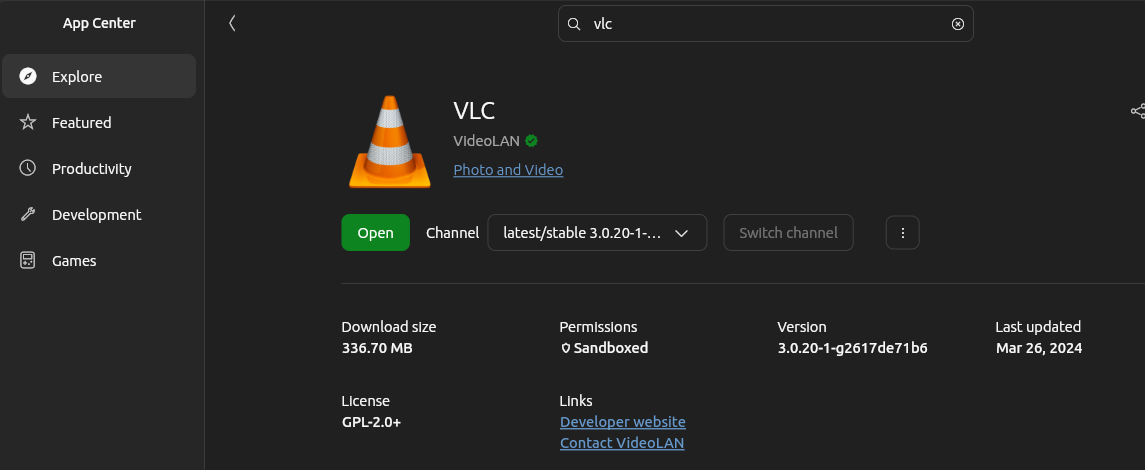
The two versions I talk about in this post are snap packages from the App Center. VLC isn't maintaining the snap packaging, but the VLC program being packaged up is them. So you'll notice that the versions I talk about here are the latest/stable in the App Center (snap) and that version is quite behind the version that is packaged as a .deb file (Debian package). The edge version is ahead of the Debian package you can download.
You might see two versions in the App Center (usually pulling from snap):
| Version | Best For | Notes |
|---|---|---|
| Stable Release | Most people | Reliable, tested, works great for 99% of tasks |
| Edge Channel | Advanced users | Newest features (like radio discovery), but may have bugs |
Recommendation: Start with the Stable version. Only switch to the Edge channel if you need a specific feature that the stable version doesn't have yet, or if you really want the built-in radio features. I really like the podcast management app that is in the stable version and currently missing from the Edge version.
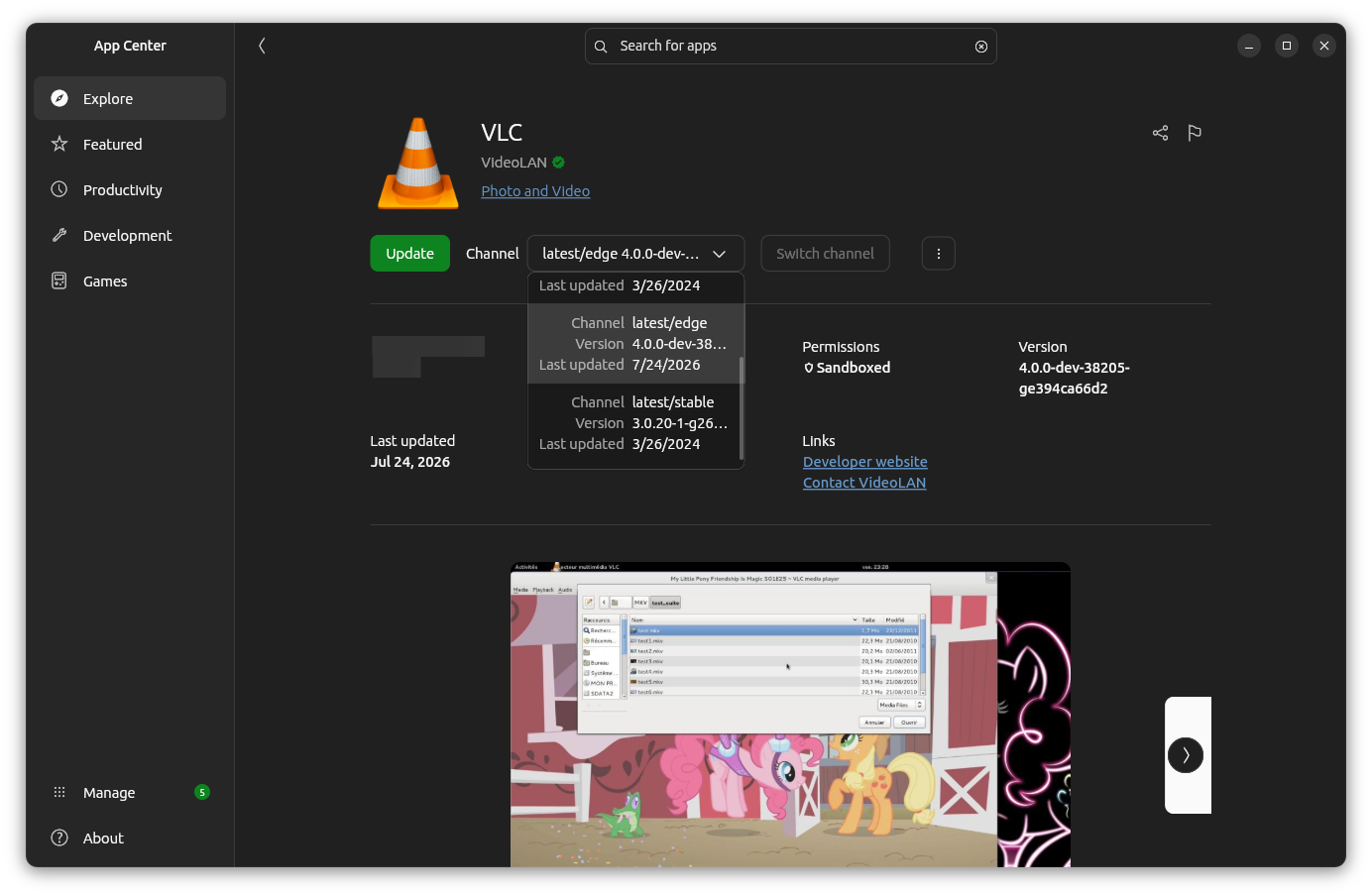
VLC is available in the App Centers for Linux An alternative to Windows or MacOS on computers. , and it's available for other operating systems, too. You can grab the latest version from their website. App store versions sometimes lag behind on updates unless you choose the "edge" channel.
The Hidden Superpower: Your Personal Streaming Hub
The feature that will make the rest of this so impressive is the playlist. If you're new to VLC, you may miss this secret superpower. After you paste any stream URL, hit Ctrl+L (Windows/
Linux
An alternative to Windows or MacOS on computers.
) or Cmd+L (Mac) to open the Playlist view. This is where VLC transforms from a simple video player into a streaming hub.
What you'll see:
- The currently playing media at the top
- Hundreds of channels listed below (when using m3u playlists like IPTV)
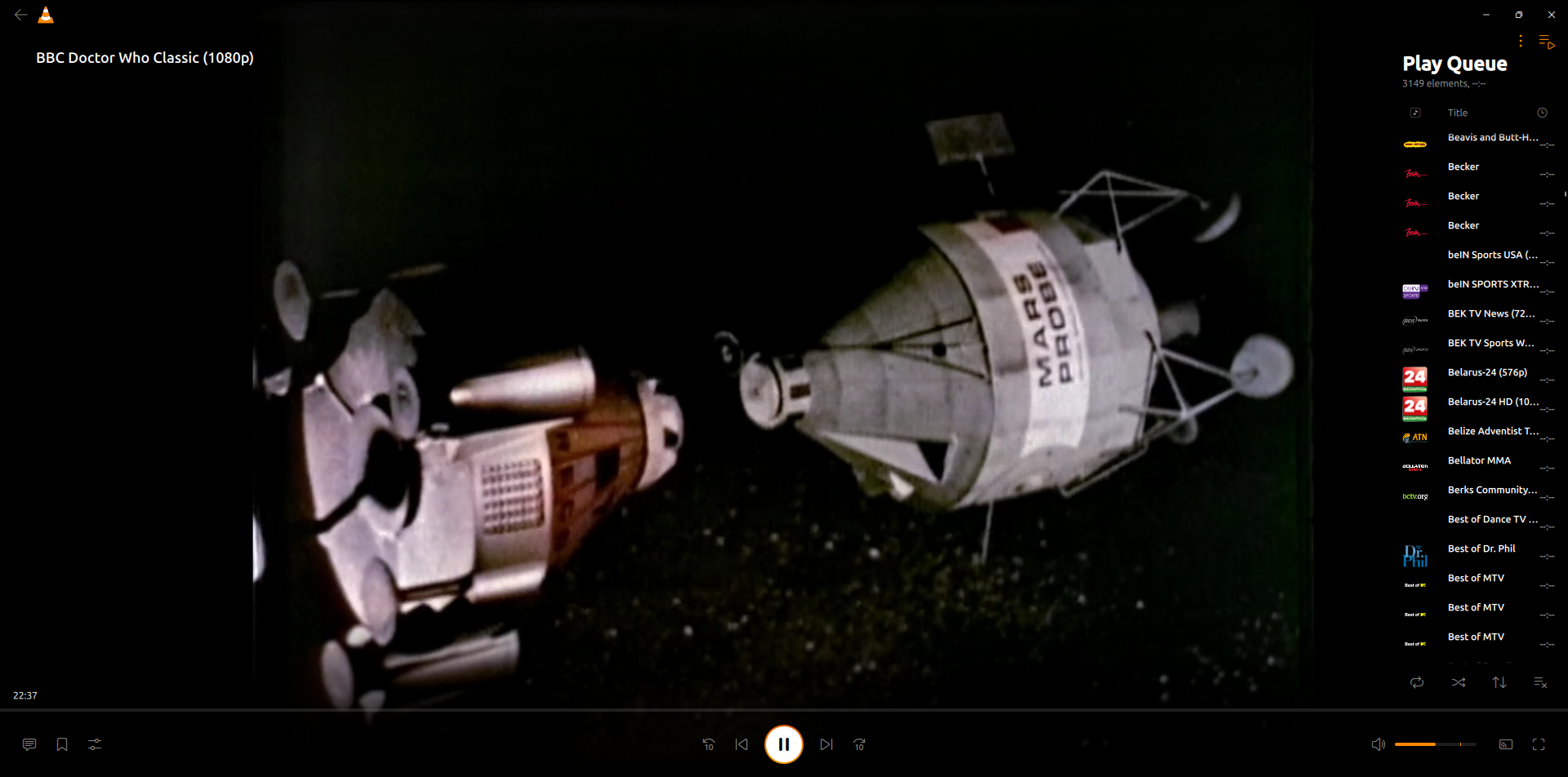
- A left sidebar with categories, built-in radio stations, and podcast feeds in older versions. A right sidebar with only the current playlist in newer versions.
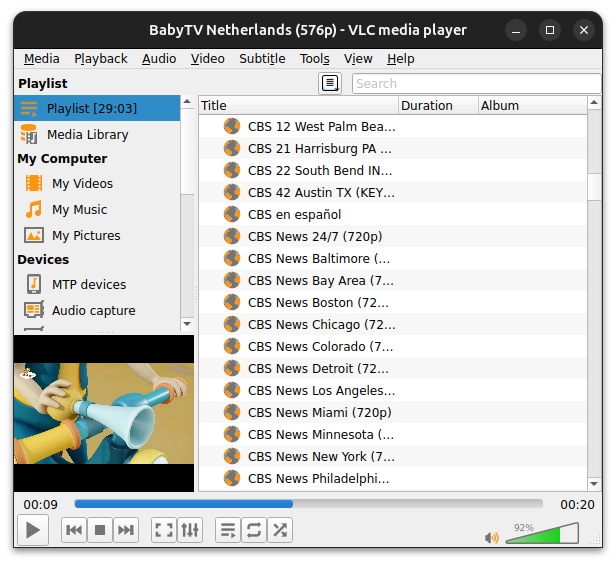
Think of it as your command center. Instead of opening each stream individually, you browse, click, and switch between sources instantly. The Playlist view works the same whether you're watching IPTV channels, Bloomberg news, radio stations, or podcast feeds, making it the consistent interface that ties everything together.
Tip: You can resize the columns, drag channels into custom groups, and even save your own playlist files to reuse later rather than pasting the URLs all the time. In newer versions of VLC, you'll see a "continue watching" bar in "Home" that shows what you've opened and lets you continue from where you left off.
Free Streaming from Around the World
You can watch any public access show anytime you want, from around the world. "Wayne's World" whenever I want? I'm so in. Party time. Excellent.
But it's not just "public access" like a Wayne's World type show. You get streams from Pluto, Rakuten, and other free streaming services. That means shows and movies.
There is a project (not the only one like this) called IPTV-org that creates a streaming playlist from these free sources, and there are a lot of different ways they organize the sources.
I don't know how appropriate the stream lists are for any particular age, but there are "baby" channels on there, and I think I saw some kid-friendly-channels.
When I switched my channel to the edge version, I made it dark mode. The stable version is in light mode. Here is what the playlist view looks like in the edge version. It's on the right-hand side.
About the Project
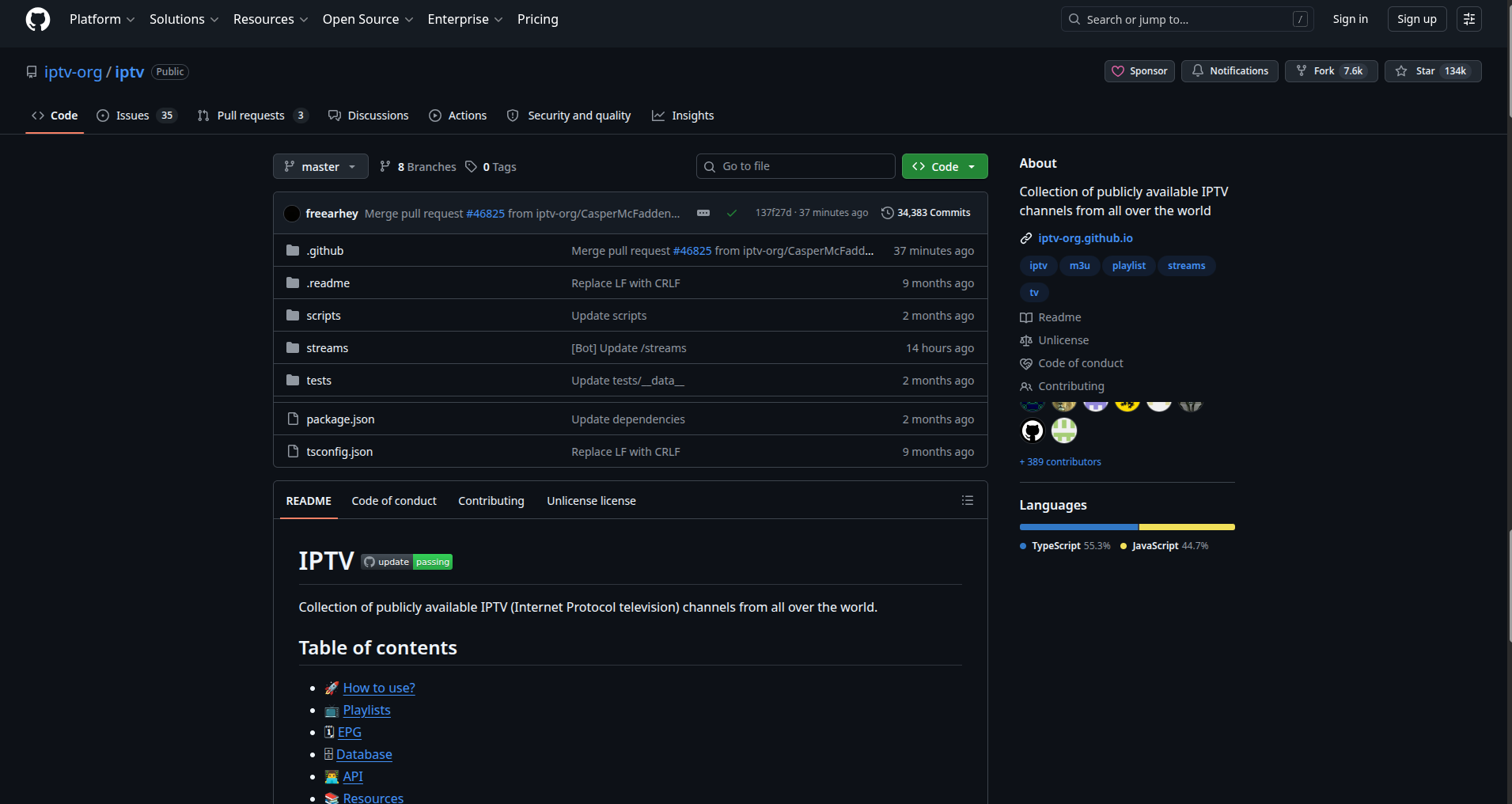
You can either use the couple of URLs that I paste below, or you can use my instructions to help give you an idea of how to navigate their GitHub repo. Don't be intimidated by it. I think it's fairly straightforward once you understand the basics.
Think of GitHub as a massive online library where programmers store and share code projects. These can be personal hobby projects, portfolios, professional software, or open source Software whose code is publicly available and modifiable. Transparency, collaboration, and often free as in free lunch are important parts of the open source model. tools (meaning anyone can view and use the code). There's tons of great stuff on there, but it requires a little digging to find.
See this cropped image of the GitHub page. Scroll down past many files to see the instructions and information.
This cool feature isn't complicated to do. You get a link and paste it (you can literally ctrl+V your link in VLC from the starting screen):
- Go to the IPTV GitHub repo → IPTV on GitHub. Scroll down to their "Readme" and learn more. They provide a step by step on what to do.
- Locate Your Desired Channel Playlist. This project offers thousands of TV channels organized by language, country, and category. They provide a master playlist file with the extension .m3u (this is simply a text file that VLC reads to know which channels to load).
- Main playlist:
https://iptv-org.github.io/iptv/index.m3u - Browse by category: Full list of playlists Looking for English-language channels specifically? Click the small triangle icon (called an "expand arrow") next to "English" to reveal those options. For example:
https://iptv-org.github.io/iptv/languages/eng.m3u
- Copy the link and
Ctrl+Vin VLC.
I copy the English language link, went to Media > Open Location From Clipboard and it started playing '00s Replay' - movies from the aughts.
The thing that makes this really huge is the playlist feature. You can paste the URL, but see all the channels in the playlist.
Playlist view showing a playing video and countless channels
The Real Deal on Streaming
If you copy a URL, like these:
https://www.bloomberg.com/media-manifest/streams/phoenix-us.m3u8https://www.bloomberg.com/media-manifest/streams/us-event.m3u8
And paste it into VLC using the Ctrl+V shortcut, you'll get a stream of Bloomberg TV. If you find something with a special file extension like .m3u, .m3u8, .aac, or .ogg, then those play. If the stream is embedded into a webpage, you'd have to find the stream URL first. You can’t just paste a website.
I've seen things online saying you can enter a URL, like a regular YouTube one, but this isn't the case. YouTube doesn't make the streaming URLs plain text, and there are several layers of security. Anyone I've seen on a forum who says it works, links to some YouTube video of a person doing this "for real." I think people don't try things for themselves, or just say it for clicks. DEBUNKED.
If anyone can tell me about a plugin for VLC (because there are plugins in the “tools” menu) that does this, feel free to share.
Websites like NASA or EWTN and others want you to come to their website to watch their free programs and streams. NASA has the streaming link visible if you search the page source at <video , but it seems like the juice isn't worth the squeeze to scrape URLs, and I'd rather they know they're getting traffic if my
browser
Lets you visit pages on the internet, examples are Safari, Edge, Firefox, or Brave.
is letting them know.
I asked ChatGPT to give me streaming URLs based on a prompt of the type of video, but it couldn't provide any real links.
Under Media > Open Network Stream (or just Stream will get you there too), you can just enter a URL (or Ctrl+V):
https://bloomberg-bloomberg-1-eu.rakuten.wurl.tv/playlist.m3u8
Think about what ELSE you watch that would be useful to watch here all in one place:
- Church livestreams
- Conferences
- Lectures
- Public webcams
- News streams
Radio Stations
You can listen to radio station streams. There are many websites that provide streaming links, but hardly any of them are working links. Here are a few you can paste into VLC:
- NPR Live 24/7 -
https://www.npr.org/streams/mp3/nprlive24.m3u - Seattle Public Radio KEXP -
http://live-aacplus-64.kexp.org/kexp64.aac - Radio Paradise -
http://stream.radioparadise.com/mp3-192 - SomaFM Groove Salad -
http://ice2.somafm.com/groovesalad-128-mp3
I see a lot of BBC streaming links, that all look different over time. I couldn't find one that worked. Radio streams change URLs frequently. The ones above were tested as of this writing, but if one breaks, try an internet search.
VLC also has some built-in radio stations if you scroll all the way to the bottom of the playlist left navigation bar. You may see "Jamendo Selections," "Icecast Radio Directory," and Podcasts in an older version. Jamendo worked for me, and contains a lot of music genres to choose from. Icecast didn't work for me, because current versions of VLC don't use this. It may not be a maintained project anymore. Get your hands on the latest version to browse all their stations.
To get a newer version from a Linux An alternative to Windows or MacOS on computers. app center using snap, you can choose the "channel" your program comes from. I changed the "channel" for my app to the "edge" version. This got me a newer version than they're advertising on the website, so it might have bugs.
When I made that change, I saw that their radio discovery had changed in more recent versions, which is probably why Icecast didn't work, and now I see stations from all around the world. This is amazing! First station I tested from The Marshall Islands was playing Black Hole Sun. I mean, seriously, nice choice guys.
Podcasts!
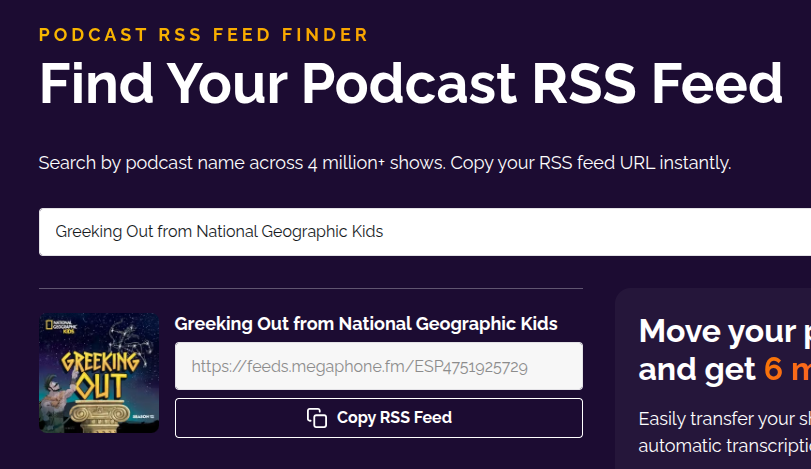
I assumed this uses the RSS feed URL, so I went to RSS.com where they have a "find my feed" feature. It turned out to be right, so let me tell you how to do it too in the older version of VLC.
I tested with a few, and they worked great! Greeking Out, Startalk, The Journal, and Stuff You Missed in History Class all worked.
First, I searched "Greeking Out," and copied the link. It looks like this as of writing: https://feeds.megaphone.fm/ESP4751925729
In the newer version of VLC, you just go to the "URL" section on the left, enter the feed URL, and then you can pick the show in the podcast section, but there's no podcast manager as of this writing, like in the older versions. This newer version is an edge version, so they may be working on features still. Or maybe it’s not a feature anymore because if you don’t have people using a feature, why maintain it?
A search box is in the middle of the page, and lists results directly below. Each result has "Copy RSS Feed"
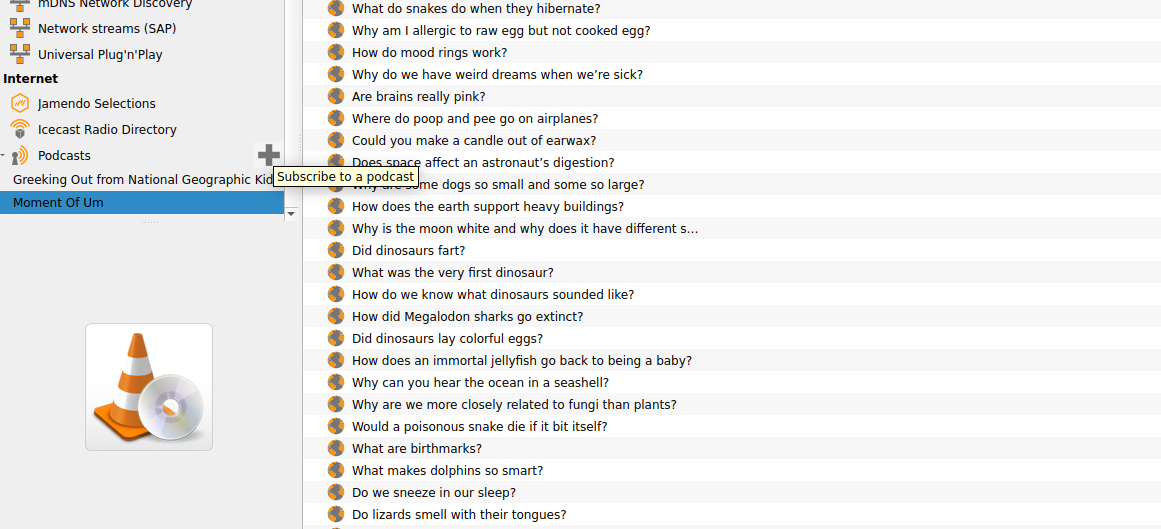
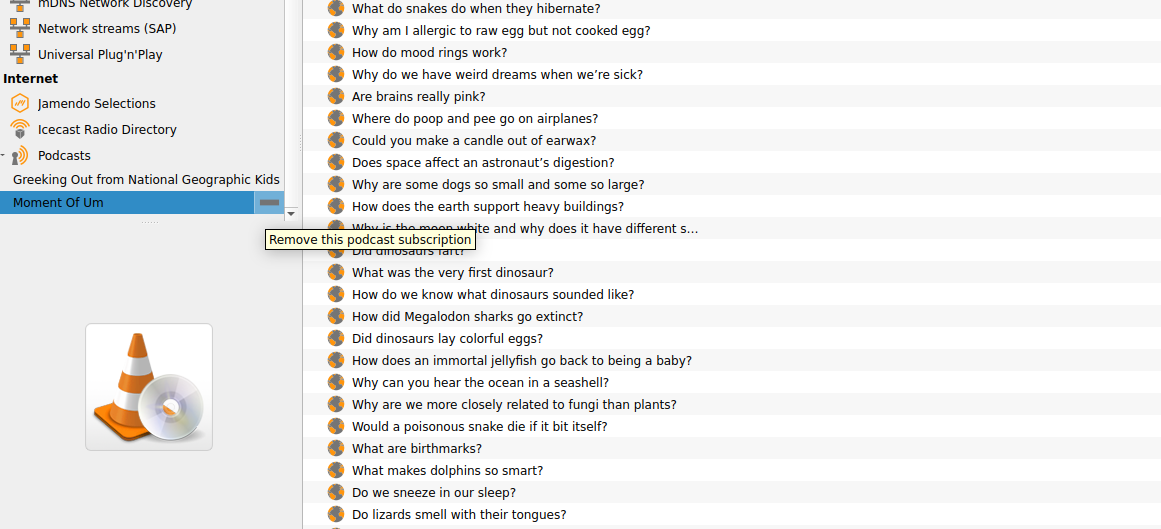
In the Playlist view (View > Playlist, or Ctrl+L), I scroll all the way down to Podcasts in the left-hand navigation window, and hover over Podcasts where a plus sign pops up.
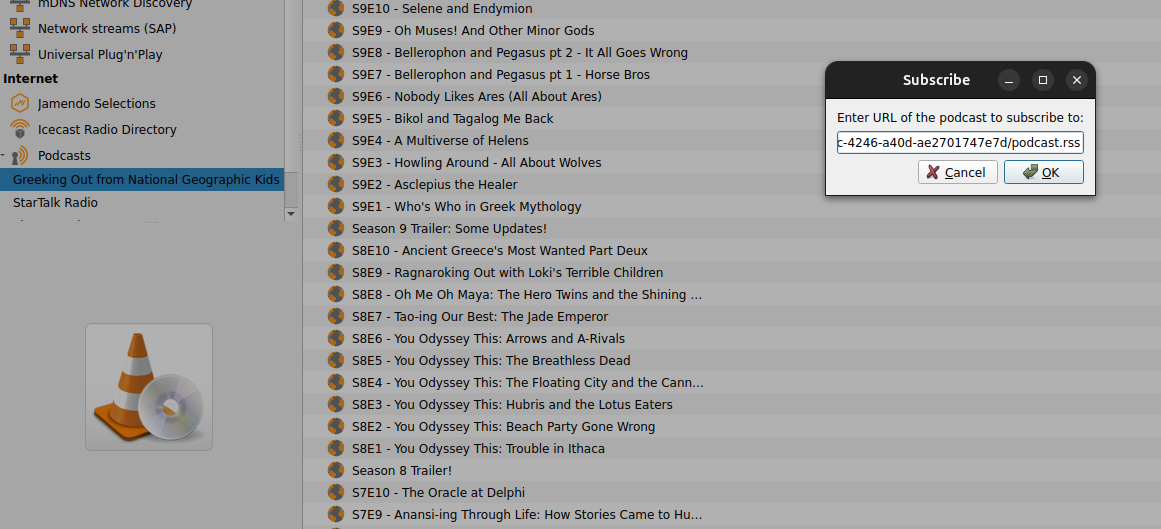
I tried "Moment of UM" and "Brains On," but an error window popped up, with an error for each episode it was trying to play one after another.
Solve this problem by clicking the stop square button to stop it from trying to play files if you run into a similar issue.
In the newer “edge” version, these worked and played the RSS feed, for example, Brains On: https://feeds.megaphone.fm/LEME2532531912
and Forever Ago and Moment of UM all work there.
Remove a podcast with the minus.
User guide
You can see the user guide here on the VLC website.
Conclusion
VLC shows us what's possible when developers people who write software and apps prioritize user freedom over profits. Every time you use it to bypass walled gardens or avoid installing sketchy codec packs, you're voting for that vision.
Jean-Baptiste Kempf and the VideoLAN team proved that you don't need to sell your users' data or bombard them with ads to build successful software. By refusing millions in offers and staying true to their mission, they've given the world a tool that respects our privacy, saves us money, and just... works.
What other tools could you replace with open source Software whose code is publicly available and modifiable. Transparency, collaboration, and often free as in free lunch are important parts of the open source model. alternatives?
Related Posts
VLC's Playlist Feature: The Real Hidden Superpower
Most VLC "hidden features" articles just point to menu items. The real secret is the playlist view—it turns VLC into an entertainment command center for free TV, radio, and podcasts. No logins, no subscriptions, no algorithms.
Just How Different Are Our Online Experiences?
A reflection on how algorithms in streaming and social media create isolated digital worlds, reducing shared cultural experiences.
Accused of Using AI? How to Prove You Wrote Your Own Paper
If a professor accuses you of using AI, don't panic. This post offers easy ways to store evidence of your writing AND what I would do if I was accused of using AI in high school or college.

About Katie B
I'm a mom and a programmer in the mid-Atlantic region of the USA. I like reading, games, hiking.
📬 Join the Newsletter
Get thoughtful writing and practical tips delivered to your inbox. No spam, just meaningful content. Make sure to check your e-mail (and maybe your spam/junk folder) for an e-mail to confirm your subscription!
Frequently asked questions
Is VLC really free forever?
Yes. VLC is developed by VideoLAN, a nonprofit organization that relies on voluntary donations. They've turned down acquisition offers and advertising deals to keep VLC free, ad-free, and without subscriptions permanently. They've been around for decades and seem to be going strong keeping with that philosophy.
Can I use VLC to stream YouTube videos?
No. YouTube encrypts their streaming URLs, so they won't work in VLC. VLC works with direct stream links like .m3u and .m3u8 files from sources like Bloomberg, NPR, and IPTV-org playlists.
Does VLC track what I watch?
No. VLC has no telemetry, no account requirement, and no tracking. Your viewing habits stay private because VLC doesn't collect or send any data about your media usage.
What's the difference between Stable and Edge versions?
Stable is recommended for most users—it's reliable and tested. Edge contains newer features but may have bugs. Switch to Edge only if you need a specific feature the stable version doesn't have.
Are the IPTV channels safe for kids?
The IPTV-org playlists include some kid-friendly channels, but they're community-curated. Review the content yourself before letting children access it, as appropriateness varies by channel.